
Assistant commands
How to use slash commands in the Knowledge Assistant, and the default assistant templates — each with instructions and a command pack you can customize.
The Knowledge Assistant is a container for your personal team of specialized assistants. Each default assistant is a ready-made template — pre-configured with instructions and a command pack geared toward a particular group's work — and every one is fully customizable. For example, Joy (Executive Assistant) handles general office tasks and project management, while Dahlia (Learning and Development Assistant) is geared toward building training content and quizzes.
Each assistant comes with its own pre-loaded set of commands. Commands are reusable shortcuts tailored to help you perform specific tasks. For example, when you're working with Joy, you can enter the /summarize command to reliably generate a summary of a file or FlexDoc in seconds.
Commands give you a curated list of starting points for high-quality responses — whether you need to generate a quiz, polish some draft content, or go through coaching to get up to speed on this season's new products, commands help you and your team do it consistently. They save you from memorizing your favorite prompts or re-inventing the wording for frequent requests, and they help your whole team get uniform results.
Try one here:
Using a command
Open the Knowledge Assistant
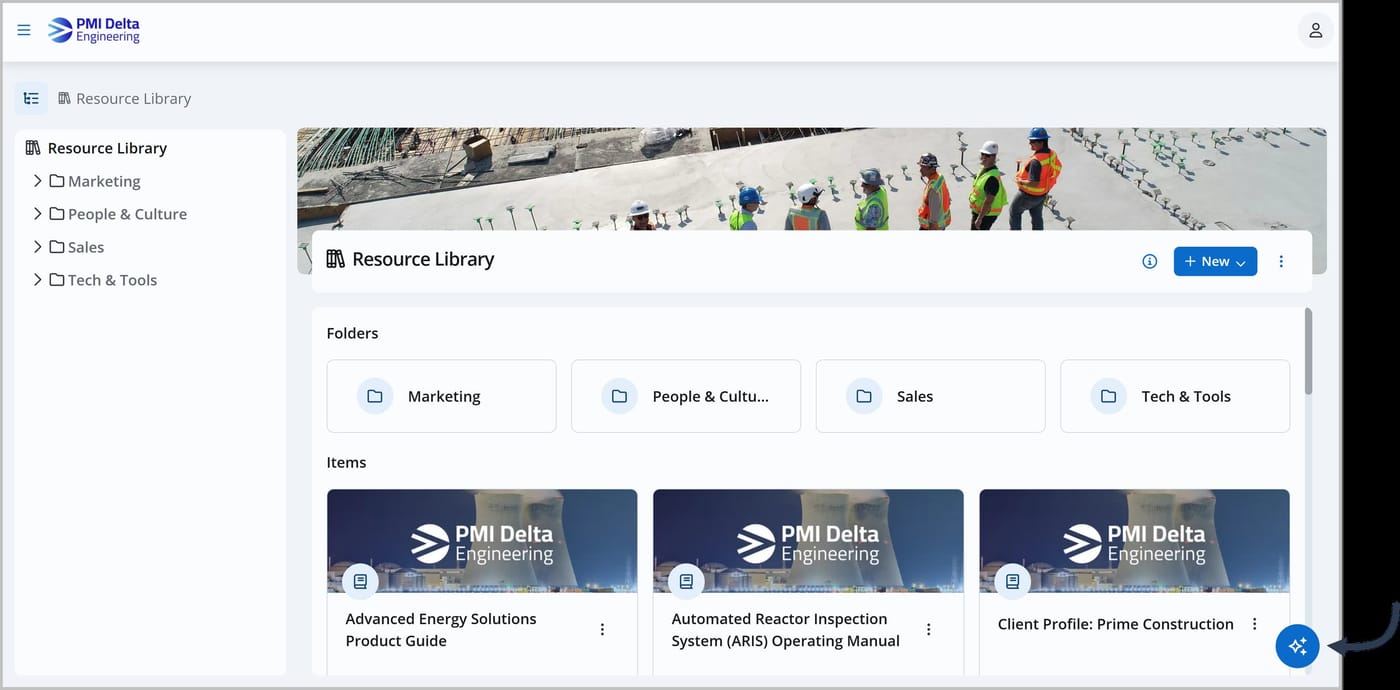
Click the Knowledge Assistant icon, which appears on every page in Joy.
Start a new chat
See Chatting with the Knowledge Assistant for details.
Choose one of your assistants
Each assistant has its own unique set of commands.
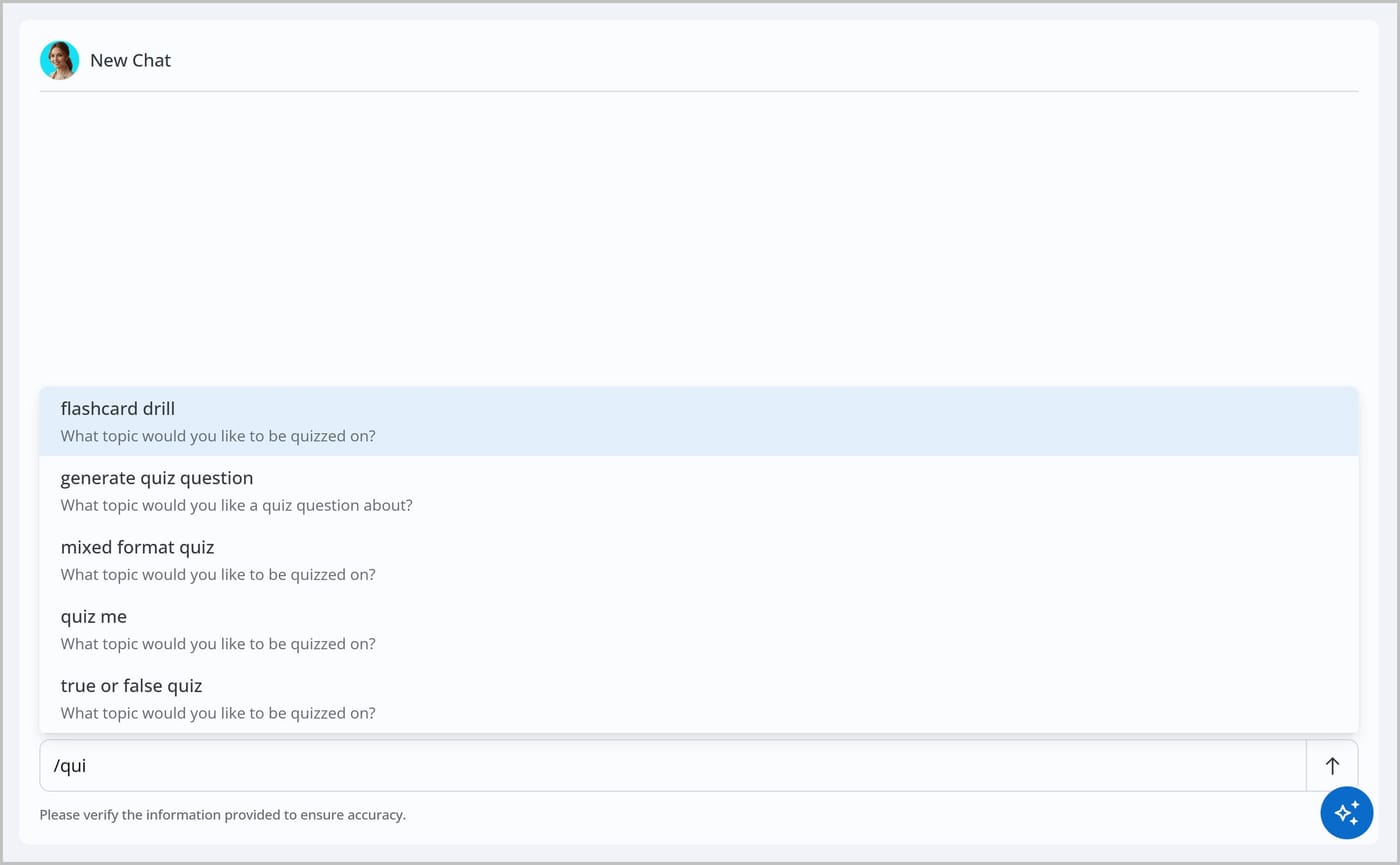
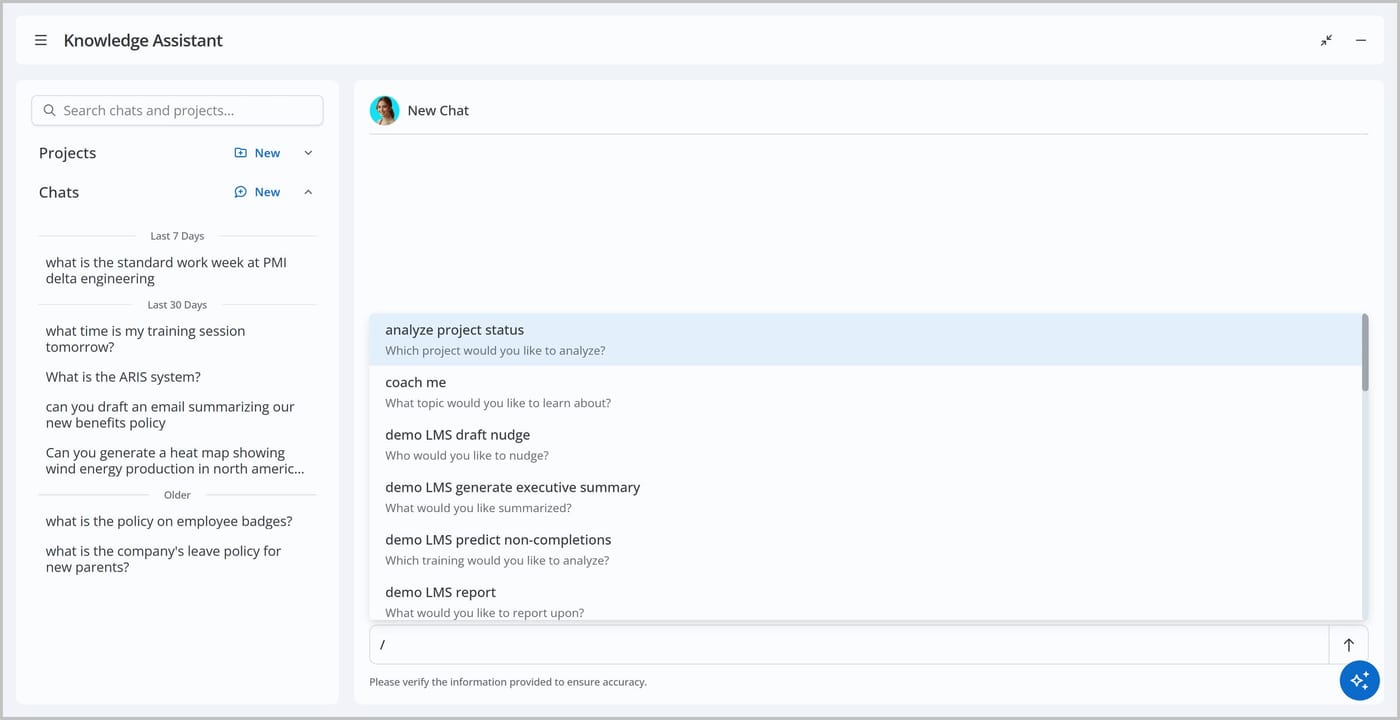
Type a forward slash "/" in the chat
A list of the assistant's commands appears.
Select a command from the list
To save time, start typing the command's name — the list narrows as you type. When your command is highlighted, press Tab or Enter to select it.
Enter any extra details or instructions
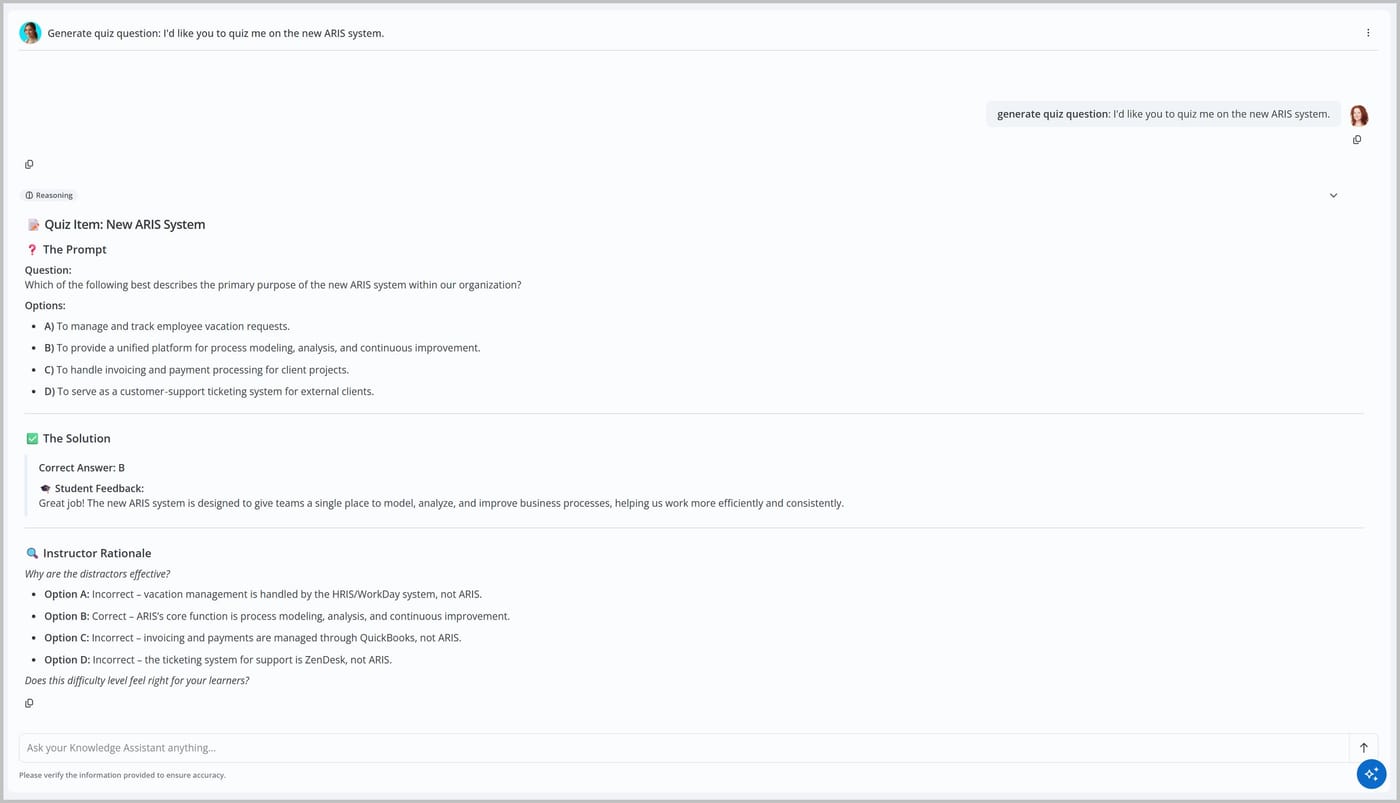
Often, a command includes guidance that asks for specific information. For example, the /generate quiz question command asks "What topic would you like a quiz question about?"
Press Enter or click the Send icon
The Knowledge Assistant runs the command and provides a response.
The Knowledge Assistant only recognizes a slash "/" as part of a command when it is the first character entered in the chat. Slashes typed later in a message are treated as normal text.

Default assistants
JoySuite ships with a set of default assistants. Each one is a template — pre-configured with instructions and a command pack geared toward a particular group's work. They're starting points, not fixed: you can tailor any assistant's instructions, add your own custom commands, or create entirely new assistants.
| Assistant | Geared toward |
|---|---|
| Joy — Executive Assistant | General office tasks, drafting, summarizing, and project management |
| Celeste — HR Assistant | Policies, benefits, onboarding, compliance, and hiring |
| Dahlia — Learning & Development Assistant | Training content, quizzes, and learner engagement |
| Leo — Legal Assistant | Contracts, clauses, NDAs, and terms |
| Sofia — Personal Growth Assistant | Coaching, upskilling, and leadership |
| Vince — Sales & Marketing Assistant | Proposals, outreach, campaigns, and content |
Because assistants are templates, nothing is locked in. Adapt an assistant's instructions to your organization, extend it with custom commands, or spin up a brand-new assistant or virtual expert for any team or topic.
Example command packs
The packs below show what several of the default assistants come pre-loaded with. Yours may differ once they've been customized.
Joy (Executive Assistant)
Joy is a well-rounded Executive Assistant for drafting clear emails, summarizing long documents, brainstorming ideas, and everyday office tasks — with a built-in library of curated commands designed to create helpful, consistent, and actionable outcomes.
Strategy and intelligence
| Command | Purpose | Guidance |
|---|---|---|
/summarize |
Instantly condense long documents and complex reports to their key insights and main points, saving you reading time. | What text can I help you summarize? |
Editorial and quality control
| Command | Purpose | Guidance |
|---|---|---|
/polish |
Refine your draft content to improve clarity, flow, and tone while maintaining your original meaning. | What text can I help you polish? |
Communications and correspondence
| Command | Purpose | Guidance |
|---|---|---|
/translate |
Convert your text into a different language. | What language would you like to translate into? |
Operations and project management
| Command | Purpose | Guidance |
|---|---|---|
/analyze project status |
Review current project data to identify blockers, progress, and upcoming milestones. | Which project would you like to analyze? |
/help desk list |
Organize and categorize support tickets to understand a specific customer's history, identify common questions, or understand trends. | What would you like to look for? |
/help desk recommend training |
Identify recurring questions and suggest training topics to help reduce the volume of tickets. | Who would you like training recommendations for? |
/PM ticket review |
Review support tickets related to a project to understand the questions and requests that have come in. | What project do you want to review support tickets for? |
Reporting and strategy
| Command | Purpose | Guidance |
|---|---|---|
/demo LMS generate executive summary |
Transform dense LMS data into a high-level report suitable for stakeholders and leadership. | What would you like summarized? |
Dahlia (Learning and Development Assistant)
Dahlia is a dedicated Learning and Development (L&D) Assistant covering the full spectrum of training — from creative design to administration. She helps you assess skill gaps, build engaging content and quizzes, and manage the reporting of your training programs, working alongside your existing LMS.
Instructional design
| Command | Purpose | Guidance |
|---|---|---|
/generate quiz |
Create a comprehensive assessment to measure knowledge. | What topic are we covering? |
/generate quiz question |
Draft individual, targeted questions to expand or refresh an existing quiz. | What topic would you like a quiz question about? |
/generate storyboard |
Plan out the sequence and content for videos or eLearning modules to streamline production. | What type of storyboard would you like to generate (video, eLearning module, etc.)? |
Learner engagement
| Command | Purpose | Guidance |
|---|---|---|
/demo LMS draft nudge |
Create encouraging, personalized messages to remind your users to complete their training. | Who would you like to nudge? |
/demo LMS predict non-completions |
Analyze progress data to identify who may be at risk of not finishing their assigned training. | Which training would you like to analyze? |
Reporting and strategy
| Command | Purpose | Guidance |
|---|---|---|
/demo LMS report |
Transform data points and metrics into a clear, visual format for detailed review. | What would you like to report upon? |
/demo LMS timeline |
Map out a clear schedule for training milestones and completion deadlines. | For whom would you like me to generate a timeline? |
Sofia (Personal Growth Assistant)
Sofia is a dedicated Personal Growth Assistant for personal coaching, learning, and leadership. She helps you bridge the gap between where you are and where you want to be — from upskilling for the future to leading your team with confidence — with behavioral science and leadership frameworks built in.
Mastery and understanding
| Command | Purpose | Guidance |
|---|---|---|
/coach me |
Go through key facts about a new topic to build your foundational knowledge. | What topic would you like to learn about? |
/explain |
Break down complex concepts and technical wording into simple, easy-to-understand language. | What would you like help understanding? |
Active learning
| Command | Purpose | Guidance |
|---|---|---|
/flashcard drill |
Practice key terms and definitions through a series of flashcards to improve retention. | What topic would you like to be quizzed on? |
/memorize |
Learn about a topic through techniques and repetitions designed to help you commit specific information to memory. | What topic would you like to memorize? |
/mixed format quiz |
Challenge yourself with a variety of question types to ensure deep understanding. | What topic would you like to be quizzed on? |
/quiz me |
Generate a standard practice test to verify your mastery of a specific subject. | What topic would you like to be quizzed on? |
/roleplay |
Practice real-world conversations and scenarios in a safe environment to build confidence and skills. | What type of scenario would you like to practice? |
/true or false quiz |
Test your knowledge through a series of true and false statements to identify common misconceptions. | What topic would you like to be quizzed on? |
Celeste (HR Assistant)
Celeste is geared toward HR work — drafting policies, answering benefits questions, checking compliance, and building onboarding. Its command pack includes commands such as /draft policy, /answer benefits, /check compliance, /create onboarding, /draft job description, and /summarize feedback.
Leo (Legal Assistant)
Leo is geared toward legal work — reviewing contracts, checking clauses, and drafting standard documents. Its command pack includes commands such as /review contract, /check clause, /draft nda, /compare terms, /explain term, and /draft amendment.
Vince (Sales & Marketing Assistant)
Vince is geared toward sales and marketing — proposals, call prep, objection handling, and campaign content. Its command pack includes commands such as /draft proposal, /prep call, /handle objection, /draft follow up, /draft campaign, and /draft blog post.
Want an assistant tuned to your team instead of a template? See Creating custom commands and Custom virtual experts.