Key Takeaways
- AI-native platforms built around AI from the start enable content creation and deep personalization that bolted-on AI features on legacy systems cannot match.
- AI-native platforms can evolve faster because they're not constrained by legacy architecture designed before AI existed
- Bolted-on AI often requires separate licensing, has limited integration with core features, and feels like an add-on
- The distinction matters most for content creation—AI-native platforms can generate training; bolted-on AI usually can't
The learning technology market has discovered that "AI-powered" is great for marketing. Every vendor now claims AI capabilities, from genuine content creation engines to basic recommendation systems with AI branding.
But the claim "we have AI features" obscures a fundamental architectural difference: Was AI designed into the platform from the beginning, or was it added to a platform built before modern AI existed?
This distinction affects what AI can actually do, how well it integrates with the platform, and how quickly the vendor can improve AI capabilities. Understanding it helps cut through marketing to evaluate what you're actually getting.
For comprehensive platform comparisons, see Best AI-Powered LMS Software in 2025.
What "AI-Powered" Actually Means
When vendors say their LMS is AI-powered, they could mean very different things.
The Spectrum of AI Capability
Basic AI (Marketing Claims):
- Recommendation engine suggesting courses
- Chatbot for navigation help
- Auto-tagging uploaded content
- Search improvement
Moderate AI (Real but Limited):
- Personalized learning paths based on assessment
- Content summarization
- Translation assistance
- Analytics pattern detection
Advanced AI (Transformative):
- Content creation from documents
- Interactive roleplay and scenarios
- Knowledge Q&A from organizational content
- Adaptive assessment generation
- Custom virtual experts that answer domain-specific questions
The gap between basic and advanced AI is enormous. A recommendation engine that suggests courses doesn't change what L&D teams can accomplish. Content creation that transforms documents into training does.
The question isn't "does this platform have AI?" It's "does AI enable something genuinely new, or just improve something I could already do?"
Bolted-On AI: What It Looks Like
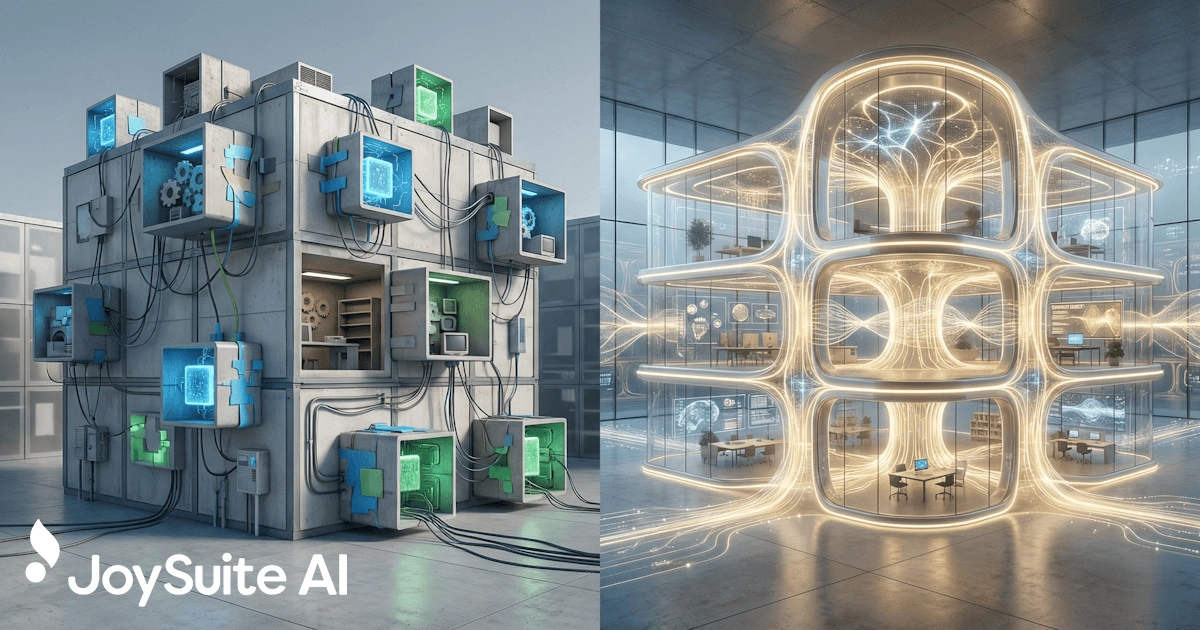
Most established LMS platforms were designed before modern AI capabilities existed. Adding AI to these platforms involves layering new technology onto existing architecture—bolting it on rather than building it in.
Signs of Bolted-On AI
Separate modules or products: AI capabilities are offered as distinct add-ons rather than integrated features. You might need to license "AI Assistant" separately from the core LMS.
Inconsistent experience: AI features feel different from the rest of the platform—different interfaces, different workflows, clearly separate technology.
Limited integration: AI can't access or leverage data from core LMS functions. The recommendation engine doesn't know about course completions. The chatbot can't access your specific content.
Feature islands: Each AI capability works independently. The translation AI doesn't connect to the content AI. No coherent AI experience exists.
Slow evolution: New AI capabilities take a long time to appear because they require adapting legacy architecture not designed for AI.
Why Platforms Bolt AI On
Established LMS vendors face a dilemma. Their platforms were designed 10-20 years ago, before modern AI existed. They have:
- Millions of lines of code written for a pre-AI world
- Database structures that don't anticipate AI needs
- User interfaces designed around manual workflows
- Integration architectures that predate AI APIs
Rebuilding from scratch would take years and alienate existing customers. So they add AI where they can, constrained by architecture decisions made long ago.
AI-Native Platforms: What's Different
AI-native platforms were designed with AI as a foundational capability, not an afterthought. This architectural difference enables fundamentally different possibilities.
Signs of AI-Native Design
Integrated experience: AI is woven throughout the platform. There's no "AI module" because AI is in everything.
AI-powered workflows: Workflow assistants help users accomplish tasks without switching between tools or interfaces.
Unified data: AI capabilities share data and context. The same AI that creates content can answer questions about it, assess learners on it, and track mastery over time.
Consistent interaction patterns: AI features work similarly throughout the platform. Learning one AI interaction teaches you others.
Rapid evolution: New AI capabilities appear faster because the architecture was designed to accommodate them.
Content creation as core: AI-native learning platforms typically center on content creation—transforming existing knowledge into training. This is hard to bolt onto platforms designed for content consumption.
Ask vendors to explain their AI architecture. Native platforms can describe how AI connects across features. Bolted-on platforms often describe AI as separate capabilities with different technical foundations.
Why Architecture Matters
The native vs. bolted distinction isn't just technical—it affects what you can accomplish.
Content Creation
AI-native platforms can transform documents into interactive training because they were designed with this workflow in mind. The data flows from document upload → AI processing → content generation → learner delivery → assessment → analytics are all connected.
Bolted-on AI typically can't do this. The LMS was designed to receive finished courses, not raw documents. Adding document-to-training capability requires reimagining the entire content pipeline—not just adding a feature.
Knowledge Access
AI-native platforms can connect training content to knowledge access—the same AI that creates a quiz can answer questions about that content. This creates a unified learning and performance support experience.
Bolted-on AI chatbots often can't access course content. They might navigate the interface or answer FAQs, but they can't actually engage with your organizational knowledge.
Personalization
AI-native platforms can personalize across the entire experience—content presented, questions asked, difficulty calibrated, reinforcement timed. Every interaction is an opportunity for AI optimization.
Bolted-on AI might personalize recommendations but can't touch course playback, assessment, or other core experiences. Personalization becomes superficial.
Evolution Speed
As AI capabilities improve rapidly, AI-native platforms can adopt improvements faster. Their architecture anticipates change.
Bolted-on AI requires each improvement to be adapted to legacy constraints. This slows adoption of new capabilities and may prevent some entirely.
Questions That Reveal the Truth
Vendors won't tell you their AI is bolted on. These questions reveal the reality:
About Architecture
- "When was your platform originally designed, and when did you add AI?" Native platforms built around AI from the start. Bolted-on platforms have AI added years after initial design.
- "Are AI features included in the base platform or separate licenses?" Separate licensing often indicates separate technology.
- "What AI model(s) power your platform?" Native platforms often have coherent AI strategy. Bolted-on platforms may list multiple unconnected AI tools.
About Integration
- "Can your AI create training content from my documents?" Content creation is hard to bolt on—native platforms excel here.
- "Can learners ask questions about specific course content?" This requires AI access to content that bolted solutions often lack.
- "How does AI personalization affect the in-course experience?" Deep personalization requires native integration; surface personalization doesn't.
About Capability
- "What can't your AI do?" Honest vendors with native AI can articulate boundaries. Vendors with bolted AI often overpromise.
- "How quickly have you added new AI capabilities over the past year?" Native platforms evolve faster; bolted platforms move slowly.
- "Can you show me how different AI features work together?" Native platforms have connected experiences; bolted platforms have isolated features.
Beware demos that show AI features separately. Ask to see a complete workflow—from document upload to training creation to learner interaction to analytics—using AI throughout. Bolted-on platforms often can't deliver this because their AI features don't connect.
The Hybrid Reality
The distinction isn't always clean. Some established platforms have rebuilt significant components around AI. Some AI-native platforms lack enterprise features that mature LMS platforms have developed over decades.
What Matters Most Depends on Your Needs
If your primary need is:
- Content creation: AI-native platforms have significant advantages
- Compliance tracking: Mature LMS platforms may be stronger regardless of AI depth
- Learner experience: AI-native platforms often offer more engaging, adaptive experiences
- Enterprise integration: Established platforms may have more mature integration ecosystems
There's no universally right answer. But understanding what you're evaluating—genuinely AI-native design or AI features added to legacy architecture—helps you assess what's actually possible.
The Future Direction
AI is evolving rapidly. The platforms that can adapt fastest will offer the most value over time.
AI-native platforms can incorporate new AI capabilities quickly because their architecture anticipates AI evolution. They're positioned to take advantage of whatever comes next.
Bolted-on platforms will improve, but each improvement requires adapting legacy constraints. The gap may widen rather than close.
This matters for a multi-year platform decision. What you buy today needs to serve you for 3-5 years. How a platform can evolve matters as much as what it does now.
If AI capabilities double in the next two years, which platform architecture is better positioned to deliver that value to you?
Making the Evaluation
When evaluating AI learning platforms:
- Identify your most important AI need. Is it content creation, personalization, knowledge access, or something else?
- Ask architecture questions. Understand whether AI is native or bolted for your specific needs.
- Test with real scenarios. Run your actual use case through the platform, not vendor demos.
- Assess connected workflows. Can AI features work together, or are they isolated?
- Consider evolution. How has the platform's AI improved over the past year? That trajectory predicts the future.
For detailed guidance on platform selection, see How to Choose an AI Learning Platform: Buyer's Checklist. For broader context on what AI learning platforms can do, see AI Learning Platform: The Next Generation of Corporate Training.
JoySuite is AI-native by design. Built from the ground up around AI capabilities, not as a legacy LMS with AI added later. Document-to-training transformation is central, not peripheral. Knowledge access connects to everything else. And with AI improving constantly, the platform evolves to deliver new capabilities as they become possible—without the constraints of architecture designed before modern AI existed.