Key Takeaways
- Modern AI HR chatbots use retrieval-augmented generation to answer questions from your actual policies—not generic responses from a pre-programmed FAQ.
- Effective HR chatbots cite sources, maintain conversation context, respect permissions, and gracefully escalate sensitive situations to humans.
- The technology handles routine questions well: policy clarifications, benefits inquiries, how-to questions, and basic troubleshooting. Complex employee relations issues still require human judgment.
- Implementation success depends on content quality, clear boundaries, and ongoing maintenance—not just choosing the right technology.
- Organizations implementing AI HR chatbots effectively report 40-70% reductions in routine HR ticket volume.
The HR chatbot has come a long way from its early days. First-generation chatbots were glorified FAQ pages—recognizing keywords and spitting out canned responses. They frustrated employees and didn't meaningfully reduce HR workload.
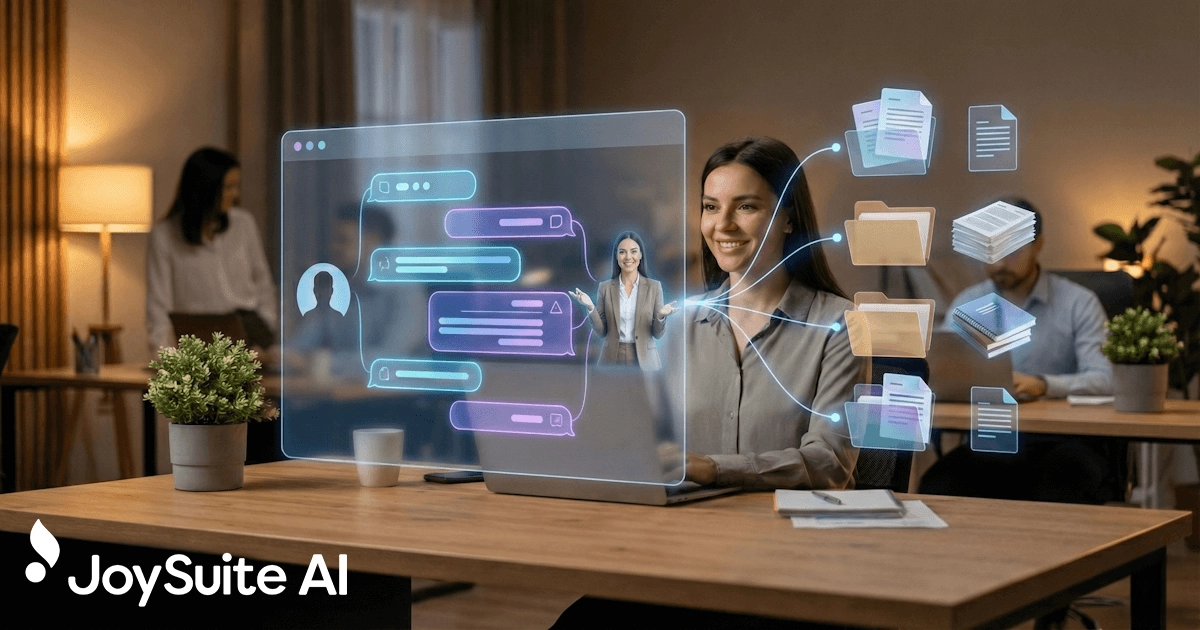
Modern AI HR chatbots are fundamentally different. They understand natural language, answer from your actual documentation, cite their sources, and know when they're out of their depth. They don't just deflect questions—they actually answer them.
This guide explains how AI HR chatbots work today, what they can and can't do, and how to implement one that actually helps—both your employees and your HR team.
What Is an AI HR Chatbot?
An AI HR chatbot is a conversational interface that helps employees get answers to HR-related questions. Unlike traditional chatbots that rely on decision trees and keyword matching, AI-powered systems use large language models and your organization's documentation to provide accurate, contextual responses.
| Capability | Traditional FAQ Bot | AI HR Chatbot |
|---|---|---|
| Understanding | Keyword matching | Natural language comprehension |
| Responses | Pre-written answers | Generated from your documentation |
| Flexibility | Limited to programmed scenarios | Handles novel questions |
| Context | None—each question is isolated | Maintains conversation history |
| Sources | No citations | Links to source documents |
| Maintenance | Manual answer updates | Automatic when source docs change |
The shift is significant. Traditional bots required someone to anticipate every question and write every answer. AI chatbots work from your existing documentation—when policies change, you update the policy document, and the chatbot's answers change accordingly.
How AI HR Chatbots Work
Understanding the technology helps you evaluate solutions and set appropriate expectations.
What Is Retrieval-Augmented Generation (RAG) in HR Chatbots?
Most modern AI HR chatbots use an architecture called RAG, which combines two AI capabilities:
1. Retrieval: When an employee asks a question, the system searches your HR documentation—policies, handbooks, benefits guides—to find the most relevant content. This uses semantic search, which understands meaning rather than just matching keywords.
2. Generation: The relevant content becomes context for a large language model (LLM), which generates a natural, conversational response based on what it found. The answer comes from your documentation, not the AI's general knowledge.
Employee asks: "Can I work from home on Fridays?"
System retrieves: Sections from your remote work policy about hybrid schedules, home office requirements, and manager approval processes.
AI generates: "Yes, employees can work remotely up to 2 days per week, including Fridays, with manager approval. You'll need to submit a remote work agreement through the HR portal. Here's the policy for details."
This approach delivers accurate, organization-specific answers while maintaining the conversational interface that makes chatbots easy to use.
What Are the Key Technical Components of an AI HR Chatbot?
Content ingestion: Your HR documentation gets processed and indexed in a way the AI can search. This typically happens automatically when you connect document sources.
Semantic search: Unlike keyword search, semantic search understands that "PTO," "vacation," and "time off" all relate to the same concept. Employees don't need to use exact terminology.
Large language model: The AI that generates responses. Most platforms use models like GPT-4, Claude, or similar. What matters is how well the platform constrains the model to answer from your content rather than making things up.
Conversation memory: Good chatbots remember what was discussed earlier in the conversation. "Does that apply to contractors too?" makes sense when the system remembers you were just asking about parental leave.
What AI HR Chatbots Can Handle
AI HR chatbots excel at certain types of questions—the ones that make up the bulk of routine HR inquiries.
What Policy Questions Can HR Chatbots Answer?
The bread and butter of HR chatbots: questions about company policies that have documented answers.
- "What's the dress code for client meetings?"
- "Can I expense lunch with a prospect?"
- "How much notice do I need for vacation requests?"
- "What's our policy on side projects?"
These questions have clear, factual answers in your documentation. The chatbot finds the relevant policy and explains it conversationally. They're the same routine questions that eat up HR time.
How Do AI HR Chatbots Handle Employee Benefits Questions?
Benefits questions are common, often urgent, and typically have documented answers—even if those answers are buried in complex plan documents.
- "What's my deductible?"
- "Does our dental plan cover braces?"
- "How do I add a spouse to my insurance?"
- "What's the HSA contribution limit this year?"
AI chatbots can translate dense benefits documentation into plain-language answers, making self-service actually viable for benefits questions. See our guide on AI for employee benefits questions for more on this topic.
What Process and How-To Questions Can HR Chatbots Handle?
Employees frequently need help with processes and procedures:
- "How do I submit an expense report?"
- "Where do I find my pay stubs?"
- "How do I request time off?"
- "How do I update my emergency contacts?"
If the process is documented, the chatbot can walk employees through it.
How Do AI HR Chatbots Support Employee Onboarding?
New employees have endless questions and no context for where to find answers. An AI onboarding chatbot provides an always-available resource during the overwhelming first weeks:
- "How do I set up direct deposit?"
- "Where's the employee handbook?"
- "Who do I contact about my laptop?"
- "When do my benefits start?"
How Can Managers Use AI HR Chatbots?
Managers often have HR-related questions they're uncomfortable asking in front of their team or unsure about escalating:
- "What's the process for a performance improvement plan?"
- "How do I handle an employee attendance issue?"
- "What accommodations am I required to provide?"
A chatbot gives managers a private, judgment-free resource for these situations.
What AI HR Chatbots Shouldn't Handle
Clear boundaries are essential. Some situations must route to humans:
Always escalate to humans:
- Harassment or discrimination reports
- Requests for accommodations (ADA, religious, medical)
- FMLA and complex leave situations
- Performance management and disciplinary issues
- Compensation questions involving negotiation
- Complaints about managers or colleagues
- Any situation involving potential legal exposure
These situations require empathy, confidentiality, professional judgment, and often documentation for legal purposes. No chatbot should attempt them.
Well-designed AI HR chatbots recognize sensitive topics and respond appropriately: "This sounds like something that needs a direct conversation with HR. Let me connect you with the right person." They don't try to handle what they shouldn't.
What Features Should You Look for in an AI HR Chatbot?
Not all AI HR chatbots deliver equal value. These features separate effective solutions from frustrating ones.
Why Are Source Citations Important in HR Chatbots?
Every answer should reference where it came from. Without citations:
- Employees can't verify accuracy
- You can't trace wrong answers to content problems
- Trust erodes after the first mistake
Look for chatbots that link directly to source documents, not just claim to have them.
Why Does Conversation Context Matter for HR Chatbots?
Employees don't ask isolated questions—they have conversations. The chatbot should remember what was discussed:
- "What's our parental leave policy?" followed by
- "Does that apply to adoptive parents?" followed by
- "How do I start the process?"
Without context, each question requires restating everything from scratch.
What Channels Should an AI HR Chatbot Support?
Employees should be able to access the chatbot where they already work:
- Slack or Teams integration: Ask questions without leaving the conversation platform
- Web portal: Accessible from company intranet
- Mobile: Works on phones for employees away from desks
The more accessible the chatbot, the more it gets used.
How Should HR Chatbots Handle Content Permissions?
Not all HR content is for everyone. The chatbot should respect that:
- Manager-only content stays hidden from individual contributors
- Region-specific policies show only to employees in that region
- Confidential information remains confidential
Without permission controls, you're limited to fully public content.
How Should an AI HR Chatbot Handle Escalations?
When the chatbot can't answer—or recognizes a sensitive situation—what happens?
- Does it clearly indicate it can't help?
- Does it offer to connect with a human?
- Does it capture context so the human doesn't start from scratch?
- Can you configure escalation paths by topic?
Seamless escalation is what makes the boundary between AI and human work smoothly.
What Analytics Should an AI HR Chatbot Provide?
Understanding usage patterns helps you improve:
- What questions do employees ask most?
- What questions can't the chatbot answer (content gaps)?
- Where do conversations get escalated?
- What's the satisfaction rate with answers?
This data guides both content improvements and demonstrates ROI.
How to Successfully Implement an AI HR Chatbot
Technology is only part of the equation. These practices determine whether your AI HR chatbot succeeds.
Why Should You Clean Your HR Content Before Launch?
The chatbot is only as good as the documentation it draws from:
- Audit first: Remove outdated policies before connecting them
- Consolidate: If the same topic exists in multiple documents, determine which is authoritative
- Fill gaps: Identify frequently asked questions that aren't documented and create content for them
Connecting a chatbot to messy documentation creates a chatbot that gives messy answers.
How to Define Clear Boundaries for Your HR Chatbot
Before launch, decide explicitly:
- What topics should the chatbot handle?
- What topics should always route to humans?
- How should the chatbot respond to out-of-scope questions?
Test these boundaries thoroughly before going live.
Why Should You Pilot Your HR Chatbot Before Full Rollout?
Don't launch organization-wide immediately:
- Start with a specific group (new hires, one department, one location)
- Monitor closely for issues
- Gather feedback and iterate
- Expand once you've proven the approach works
A failed pilot is recoverable. A failed company-wide launch damages trust.
How to Set Employee Expectations for Your HR Chatbot
Communicate clearly to employees:
- What the chatbot can help with
- What should go to HR directly
- That the chatbot learns from their feedback
- How to report incorrect answers
Overpromising leads to disappointment. Clear expectations lead to satisfaction.
How to Maintain Your AI HR Chatbot Over Time
Content changes. The chatbot needs processes for:
- Adding new documentation when policies are created
- Updating content when policies change
- Removing outdated information
- Acting on reported incorrect answers
Without maintenance, accuracy degrades over time.
How Do You Measure AI HR Chatbot Success?
Track metrics that demonstrate value and guide improvement.
How to Measure HR Ticket Deflection
The primary success metric: how many HR inquiries get resolved by the chatbot instead of requiring human attention? Organizations focused on reducing HR ticket volume should track this carefully.
- Track total HR ticket/inquiry volume before and after
- Categorize by topic to see where deflection works best
- Target 40-70% reduction in routine inquiries
How to Track Resolution Quality
Not just whether questions get answered, but whether they get answered well:
- User satisfaction ratings after interactions
- Percentage of conversations that escalate to humans
- Repeat questions on the same topic (indicating unclear answers)
What Usage Patterns Should You Monitor?
Understanding how employees use the chatbot:
- Questions asked (by category and frequency)
- Questions that couldn't be answered (content gaps)
- Time of day and channel preferences
- Adoption by department or role
How to Measure the Impact on Your HR Team
The ultimate goal—freeing HR for higher-value work:
- Time spent on routine inquiries before vs. after
- Capacity for strategic initiatives
- HR team satisfaction with workload
What Are the Most Common AI HR Chatbot Mistakes?
Organizations implementing AI HR chatbots often stumble in predictable ways.
Why Launching Without Content Cleanup Fails
Connecting outdated documentation means the chatbot confidently shares wrong information. Clean your content first.
Why You Should Not Try to Automate Every HR Conversation
Some conversations need humans. Trying to handle sensitive situations with AI damages trust and creates liability. Define clear boundaries.
What Happens When You Ignore Employee Feedback?
When employees flag wrong answers and nothing changes, they stop using the chatbot—and stop trusting HR technology generally. Act on feedback quickly.
Why Measuring Activity Instead of Outcomes Is Misleading
High chatbot usage means nothing if tickets aren't actually declining or employees aren't getting good answers. Measure outcomes, not conversations.
Why a Set-It-and-Forget-It Approach Does Not Work
Chatbots require ongoing attention: content updates, performance monitoring, improvement iteration. Treat it as a program, not a project.
How to Get Started with an AI HR Chatbot
AI HR chatbots have matured significantly. The technology works. Organizations implementing them effectively see meaningful reductions in routine HR tickets while improving employee experience.
The key is recognizing that technology is necessary but not sufficient. Success comes from:
- Clean, current documentation
- Clear boundaries between AI and human handling
- Thoughtful implementation with piloting and iteration
- Ongoing maintenance and improvement
If you can commit to these practices, an AI HR chatbot can transform your HR service delivery—handling the routine instantly so your team can focus on the work that actually needs human expertise, judgment, and empathy.
JoySuite's AI-powered assistant goes beyond basic chatbot functionality. Employees ask questions in natural language and get instant, cited answers from your policies and documentation. With comprehensive AI for HR capabilities and multi-channel access through Slack, Teams, and web, it's a chatbot that actually gets used—because it actually helps.