Key Takeaways
- AI for HR uses retrieval-augmented generation to answer employee questions from your actual policies, handbooks, and benefits documents—with citations.
- Roughly 80% of HR inquiries are routine, factual questions that don't require human judgment: PTO balances, benefits coverage, policy clarifications, and how-to questions.
- The best AI HR implementations respect the boundary between factual and sensitive—handling routine questions while escalating harassment reports, accommodation requests, and complex employee relations issues to humans.
- Success depends on content quality and freshness. Outdated policies fed to AI create confident but wrong answers—worse than no answer at all.
- Organizations that implement AI for HR well report 50-80% reductions in routine ticket volume, freeing HR professionals for strategic work.
If you work in HR, you already know the pattern. The same questions arrive every day, every week, every month. Benefits coverage. PTO balances. Expense policies. Parental leave eligibility. Open enrollment deadlines.
You've answered each one dozens of times. The information exists in the employee handbook, the benefits portal, the policy wiki. But employees ask anyway, because finding the answer themselves is harder than sending you a message.
So you answer. Again. And the strategic work—the recruiting, the employee development, the culture initiatives—waits while you explain the dress code policy for the third time this week.
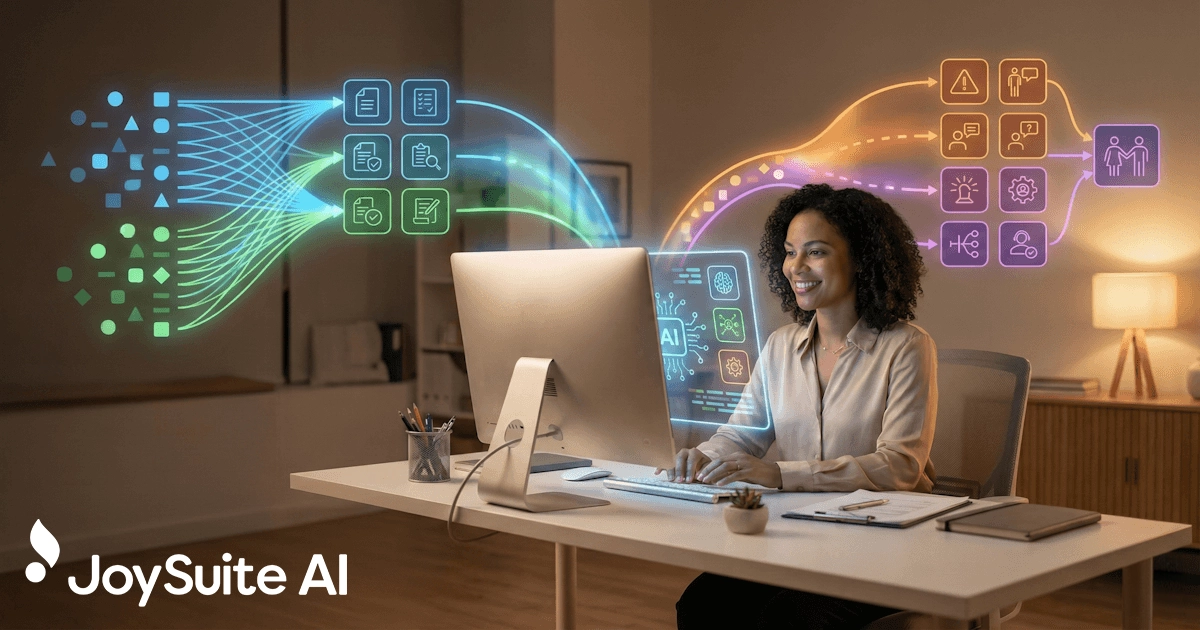
This is where AI for HR changes the equation. Not by replacing HR professionals, but by handling the routine so you can focus on what actually requires human judgment, empathy, and expertise.
What Does AI for HR Actually Mean?
AI for HR refers to artificial intelligence systems designed to help human resources teams work more effectively. While that's a broad category—spanning everything from resume screening to predictive analytics—this guide focuses on the most immediately impactful application: AI-powered employee self-service.
Specifically, we're talking about AI systems that can answer employee questions in natural language, drawing from your organization's actual policies, handbooks, and documentation. Instead of searching through documents or waiting for an HR response, employees ask a question and get an answer—instantly, accurately, with a citation to the source.
Traditional HR inquiry: Employee emails HR asking about parental leave. The message sits in queue. HR finds time to respond, pulls up the policy, types out an explanation. Elapsed time: hours to days.
AI-assisted inquiry: Employee asks the AI assistant: "How much parental leave do I get?" The system responds immediately: "You're eligible for 12 weeks of parental leave after 90 days of employment. Birth parents receive 8 weeks paid; all parents receive 4 additional weeks at 60% pay." With a link to the full policy.
The shift is significant. Employees get immediate answers at 2 AM or during the weekend—whenever the question occurs to them. HR gets hours back each week. And the answers are consistent, pulling from the same authoritative source every time rather than varying based on who happened to respond.
Why Can AI Handle 80% of HR Questions?
The 80% figure isn't arbitrary. When HR teams audit their incoming questions, they consistently find that the vast majority fall into a predictable set of categories—and most of those questions have clear, factual answers that exist somewhere in their documentation.
The questions eating up HR time look remarkably similar across organizations:
- How much PTO do I have?
- What holidays do we have off?
- What's covered by our health insurance?
- How do I add a dependent to my benefits?
- What's the expense reimbursement limit?
- How do I submit a time-off request?
- When is open enrollment?
- What's the dress code for client meetings?
- How do I update my direct deposit?
- What's our parental leave policy?
These questions share important characteristics: they have documented answers, they don't require judgment or interpretation, and they don't involve sensitive personal circumstances. They're factual inquiries that could be self-service—if the self-service actually worked.
The typical percentage of HR inquiries that are routine, factual questions with documented answers. These are the questions AI can handle.
The remaining 20% involves situations that genuinely need a human: harassment reports, accommodation requests, complex leave situations, performance issues, employee relations matters. These need empathy, judgment, confidentiality, and often difficult conversations. No AI should try to handle them—and good AI systems are designed to recognize these situations and escalate appropriately.
How Does AI for HR Actually Work?
Understanding the technology helps you evaluate solutions and set realistic expectations. Modern AI HR systems use an architecture called retrieval-augmented generation (RAG) to combine your specific content with AI's language capabilities.
How Does AI Answer Employee HR Questions Step by Step?
Step 1: Your content gets ingested. The AI system processes your employee handbook, benefits documentation, policy PDFs, and other HR content. It breaks documents into searchable chunks and creates semantic representations that understand meaning, not just keywords.
Step 2: Employee asks a question. The query comes through whatever channel you've enabled—a chat interface, Slack, Teams, email, or a dedicated portal. The employee types in natural language: "Can I expense client lunches?"
Step 3: Relevant content is retrieved. The system finds the chunks of your documentation most relevant to the question—in this case, sections of your expense policy that address meal reimbursement, client entertainment, and spending limits.
Step 4: AI generates an answer. Using the retrieved content as context, the AI formulates a response: "Yes, client lunches are reimbursable up to $75 per person. Submit receipts within 30 days through the expense portal." The answer comes from your policy, not the AI's general knowledge.
Step 5: Source is cited. The response includes a citation—"Source: Expense Reimbursement Policy, Section 3.2"—so employees can verify the answer and read the full policy if needed.
Why this matters: The AI isn't making things up or pulling from the internet. It's answering from your specific documentation. When policies change, you update the source documents, and the AI's answers change accordingly. When the AI doesn't have information, it says so rather than guessing.
Why Is HR-Specific AI Better Than General-Purpose Tools Like ChatGPT?
General-purpose AI tools like ChatGPT can answer questions about HR topics, but they have critical limitations for actual HR use:
They don't know your policies. ChatGPT can explain what parental leave typically looks like. It can't tell an employee what your organization specifically offers.
They can't cite sources. A general AI might give a plausible-sounding answer about expense limits that's completely wrong for your organization. Without citations, employees can't verify.
They don't respect permissions. Some HR information is manager-only or region-specific. General AI tools don't understand organizational structure or access controls.
They don't have escalation paths. When an employee asks about a sensitive situation, a general AI will try to answer. A properly designed HR AI system will recognize the sensitivity and route to a human.
What Are the Most Impactful Use Cases for AI in HR?
Let's get concrete about where AI for HR creates value. These are the applications delivering measurable impact for organizations today.
How Does AI Handle Policy Questions and Employee Self-Service?
The core use case: employees asking questions about company policies. Rather than searching (and failing to find) or emailing HR (and waiting), they ask the AI and get immediate answers.
This covers the full range of what employees actually want to self-serve: dress code, remote work policies, time-off procedures, expense guidelines, equipment requests, and dozens of other routine topics.
The impact compounds. When employees trust that they can get accurate answers quickly, they stop defaulting to email. HR ticket volume drops. The employees who do reach out have genuine questions that merit human attention.
How Can AI Streamline Benefits Administration?
Benefits questions spike at predictable times—open enrollment, life events, end of year—but they occur throughout the year. Open enrollment alone can overwhelm HR teams with questions about plan differences, enrollment deadlines, and coverage details.
AI handles this well because benefits information is documented extensively (if often incomprehensibly). A good AI system can translate dense benefits documentation into plain-language answers: "Yes, your dental plan covers orthodontia for dependents under 19. The annual maximum is $2,000 with a 50% coinsurance after deductible."
This extends to ongoing benefits questions throughout the year—HSA contribution limits, FSA eligible expenses, finding in-network providers, understanding EOB statements.
How Does AI Improve New Employee Onboarding?
New employees have hundreds of questions and no context for where to find answers. They don't know which portal has benefits information, where policies live, or who to ask about what.
AI provides a single point of access during the disorienting first weeks. New hires can ask anything—"How do I set up direct deposit?" "Where do I find the org chart?" "What's the Wi-Fi password?"—and get immediate help rather than hunting through onboarding materials or pestering their new colleagues.
This accelerates ramp time while reducing the burden on managers and teammates who would otherwise answer these questions.
How Does AI Help Managers With HR-Related Questions?
Managers frequently have HR-related questions they're uncomfortable asking their employees or unsure about escalating to HR: performance review procedures, handling difficult conversations, leave policies for their reports, compensation guidelines.
AI gives managers a private, judgment-free resource for these questions. They can ask "How do I handle an employee who's consistently late?" and get guidance on the process and policies—answers they need without advertising that they need them.
How Does AI Support Compliance and Policy Rollout Communication?
When policies change, employees have questions. When new compliance requirements roll out, they have more questions. These spikes are predictable but still overwhelming.
AI absorbs the surge. Load the new policy documentation, and employees can immediately ask questions about what changed and how it affects them. HR handles the exceptions and clarifications rather than the basic explanations.
What HR Tasks Should Always Stay With Humans?
Effective AI implementation requires clear boundaries. Some situations must remain human-only.
These situations require human handling:
- Harassment, discrimination, or hostile work environment reports
- Accommodation requests (ADA, religious, medical)
- FMLA and complex leave situations
- Performance issues and disciplinary matters
- Compensation negotiations and disputes
- Workplace conflicts and employee relations
- Sensitive personal disclosures
- Anything involving legal risk or documentation
These situations require empathy, confidentiality, professional judgment, and often documentation for legal purposes. AI can't provide these—and shouldn't try.
The best AI HR systems recognize sensitive topics and respond appropriately: "This sounds like something that needs a conversation with HR directly. Let me connect you with [contact]." They don't attempt to handle what they shouldn't.
The goal isn't to remove humans from HR. It's to remove humans from the routine so they're available for the meaningful.
How Do You Reduce HR Ticket Volume by 80%?
Achieving significant ticket reduction isn't automatic. Here's the approach that works, based on organizations that have done it successfully.
Step 1: How to Audit Your Current HR Inquiry Volume
Before implementing anything, understand what you're dealing with. Pull a sample of recent HR inquiries and categorize them:
- What percentage are routine, factual questions?
- What topics come up most frequently?
- Which questions could be answered from existing documentation?
- Which require human judgment or aren't documented?
Most HR teams find that 60-80% of their inquiries are routine. If your percentage is lower, you may have different challenges to solve first.
Step 2: How to Prepare Your HR Documentation for AI
AI can only answer from what it knows. Before deploying an AI assistant, audit your documentation:
- Currency: Are policies up to date? Outdated documentation creates wrong answers.
- Completeness: Are the most common questions actually addressed somewhere?
- Clarity: Is information written in language employees understand, or buried in legalese?
- Consolidation: If the same topic is covered in multiple places with conflicting information, which source is authoritative?
This step takes work but pays dividends. Better documentation improves AI answers and traditional self-service simultaneously.
Step 3: How to Deploy AI for HR Strategically
Don't try to solve everything at once. Start with a focused scope:
- A single high-volume topic (benefits, PTO, expense policies)
- A specific moment (new hire onboarding, open enrollment)
- A defined user group (new employees, managers)
Prove value in a contained area, learn what works and what doesn't, then expand.
Step 4: How to Make AI Accessible Where Employees Already Work
An AI assistant nobody uses doesn't reduce tickets. Deploy where employees already are:
- Embedded in Slack or Teams
- Accessible from the intranet homepage
- Linked from existing help resources
- Promoted during relevant moments ("Have questions? Ask Joy.")
The easier access is, the more employees use self-service instead of emailing HR.
Step 5: How to Measure Results and Continuously Improve
Track what changes after deployment:
- Ticket volume by category (routine should drop; complex should stay flat)
- Questions the AI couldn't answer (these are content gaps to fill)
- Employee satisfaction with answers
- Time saved by HR team
Use the data to improve. Add content where gaps exist. Refine answers that aren't landing. Expand to new topics as success builds.
How Do You Choose the Right AI Solution for HR?
The market for AI HR tools has exploded—our AI knowledge base comparison covers how the leading platforms stack up. Here's what to evaluate when choosing a solution.
What Capabilities Should an AI HR Tool Have?
Content ingestion flexibility. Can the system work with your documents as they exist—PDFs, Word docs, SharePoint, Google Drive, Confluence? You shouldn't need to recreate everything in a specific format.
Source citations. Every answer should reference where it came from. Without citations, employees won't trust the answers, and you can't verify accuracy.
Semantic search. The system should understand meaning, not just keywords. An employee asking about "maternity leave" should find content about "parental leave" or "birth parent benefits."
Escalation paths. When the AI can't answer or recognizes a sensitive topic, how does it hand off to humans? This needs to be smooth and configurable.
Multi-channel access. Where can employees interact? Slack, Teams, web portal, email? The more channels, the more accessible.
Critical question to ask: Does the vendor use your data to train their models? For HR content—which includes sensitive policy information and potentially employee data—this matters. Look for vendors that don't train on customer content.
What Should You Consider Before Implementing AI for HR?
Content preparation support. How much work is required to get your content ready? Some vendors offer services to help; others expect you to handle it.
Maintenance requirements. When policies change, how do you update the AI's knowledge? Is it automatic, or manual? How quickly do changes take effect?
Analytics and insights. What can you learn from usage data? Question patterns, content gaps, and trending topics are valuable for improving both the AI and your underlying documentation.
How to Evaluate Security and Compliance for HR AI Tools
Permission awareness. Can the system respect that some content is for managers only, some is region-specific, some requires certain roles to access? Without this, you're limited to fully public content.
Data handling. Where is content processed? Is it encrypted? Who can access it? For HR content, these questions matter significantly.
Audit capabilities. Can you see what questions were asked and what answers were given? This matters for compliance and for quality assurance.
What Are the Best Practices for Implementing AI in HR?
Technology alone doesn't reduce tickets. These practices determine success.
Why Should You Start AI for HR With Quick Wins?
Don't begin with your most complex, sensitive content. Start with clearly documented, high-volume, low-risk topics:
- Holiday calendar and PTO policies
- Expense reimbursement procedures
- Office logistics (parking, facilities, equipment)
- Basic benefits overview
Build confidence and familiarity before expanding to more nuanced topics.
How to Set Clear Expectations for AI in HR
AI isn't magic. Set appropriate expectations with both HR and employees:
- The AI handles routine questions; complex situations go to HR
- Answers come from your documentation—if it's not documented, the AI can't answer
- Employees should report wrong or unclear answers
- The system improves over time based on usage
Overpromising leads to disappointment. Appropriate expectations lead to appreciation.
How to Plan for Ongoing AI Content Maintenance in HR
Your policies change. Your benefits update annually. New employees join with new questions. Build processes for:
- Adding new content when policies are created
- Updating content when policies change
- Reviewing AI answers periodically for accuracy
- Acting on feedback about incorrect answers
Without maintenance, even a great implementation degrades over time.
What Metrics Should You Track for AI in HR?
Don't just count chatbot conversations. Track outcomes:
- HR ticket volume (by category)
- Time to resolution for remaining tickets
- Employee satisfaction with HR support
- HR team time available for strategic work
The goal is freeing HR for meaningful work, not just deflecting questions.
How Do You Measure the ROI of AI for HR?
Demonstrating value helps secure continued investment and expansion. Here's how to quantify impact.
How to Calculate Time Savings From HR AI Automation
Calculate the time your HR team spends on routine questions:
- Average time per inquiry (finding info, composing response, follow-up)
- Number of routine inquiries per week
- Fully loaded cost per hour of HR time
If your team handles 100 routine inquiries per week at 10 minutes each, that's roughly 17 hours weekly. At $50/hour fully loaded, that's $850/week or $44,000 annually. An 80% reduction captures most of that value.
What Is the Value of Consistent AI-Powered HR Answers?
Harder to quantify but real: consistent, accurate answers reduce downstream problems. When one HR rep says something different than another, confusion and conflict follow. AI gives the same answer every time, from the same source.
How Does AI Improve the Employee Experience With HR?
Employees waiting for answers are frustrated and potentially blocked from doing their work. Immediate answers mean:
- Higher satisfaction with HR support
- Less time wasted waiting
- Questions answered when they arise, not when someone gets to them
These benefits are real even if harder to dollarize.
How Does AI Free HR Teams for Strategic Work?
Perhaps most importantly: what can your HR team accomplish when they're not answering routine questions? That time can go to:
- Proactive employee development
- Improved recruiting and hiring processes
- Culture and engagement initiatives
- Strategic workforce planning
The value of HR doing higher-impact work exceeds the cost savings from automation.
What Are the Most Common Mistakes When Implementing AI for HR?
Organizations implementing AI for HR often stumble in predictable ways.
Launching with Outdated Content
The AI confidently cites your 2019 parental leave policy—which has been superseded twice since then. Employees follow the old guidance, problems ensue, trust erodes.
Solution: Audit content before launch. Archive or clearly mark outdated materials. Establish processes to keep content current.
Trying to Solve Everything at Once
You connect every HR document, launch organization-wide, and expect immediate transformation. Instead, you get overwhelmed with edge cases, content gaps, and confused employees.
Solution: Start small. One topic, one user group, one use case. Prove value, learn lessons, expand thoughtfully.
Ignoring the Human Boundary
The AI handles a harassment question poorly, or an employee with a sensitive situation gets a tone-deaf automated response. Trust in HR suffers.
Solution: Define clear boundaries. Test thoroughly with sensitive queries. Ensure escalation paths work smoothly. When in doubt, route to humans.
Skipping the Feedback Loop
Employees flag incorrect answers, but nobody acts on the feedback. The same wrong answers keep getting served. Trust declines.
Solution: Build a process for reviewing and acting on feedback. Track patterns in what the AI gets wrong. Treat feedback as valuable data, not complaints to ignore.
Measuring the Wrong Things
You celebrate high chatbot usage without checking whether employees actually got what they needed, or whether tickets just shifted to different channels.
Solution: Measure outcomes, not activity. Track satisfaction, resolution rates, and total support volume—not just AI conversations.
What Does the Future of AI in HR Look Like?
The technology continues to evolve rapidly. Trends worth watching:
Proactive assistance. Rather than waiting for questions, AI can anticipate needs: prompting employees before benefits deadlines, suggesting relevant policies when life events occur, surfacing information at the right moments.
Personalization. AI that understands employee context—role, location, tenure, past interactions—can provide more relevant answers without requiring employees to explain their situation each time.
Integration with action. Beyond answering questions, AI can help employees take action: initiating leave requests, updating information, submitting forms—reducing the gap between knowing what to do and doing it.
Analytics and insights. Question patterns reveal what employees are confused about, what policies aren't working, where communication fails. This data becomes valuable for improving HR beyond the AI itself.
The organizations that build these capabilities effectively will have more efficient HR operations, better employee experiences, and more strategic HR teams.
How Do You Get Started With AI for HR?
AI for HR isn't a future possibility—it's a current reality. Organizations are implementing these systems now and seeing meaningful results: significant reductions in routine questions, happier employees who get fast answers, and HR teams finally able to do the strategic work they were hired for.
The technology works. The question is whether your organization is ready to implement it effectively.
Start with honest assessment:
- What percentage of your inquiries are truly routine?
- Is your documentation current and complete enough to power AI answers?
- Do you have the processes to maintain content over time?
- Can you define clear boundaries between what AI handles and what goes to humans?
If you can answer those questions, you're ready to evaluate solutions and plan a pilot. The organizations that do this well will transform their HR service delivery—handling routine inquiries instantly while reserving human expertise for the situations that genuinely need it.
JoySuite helps HR teams automate answers to routine questions while keeping humans in the loop for what matters. Employees ask about policies, benefits, and procedures and get instant, cited responses from your actual documentation. Combined with instant upskilling for training and purpose-built HR capabilities, it's AI that actually gets used—because it actually helps.